Programming with Arduino
Arduino is an open-source electronics platform based on easy-to-use hardware and software. It's intended for anyone making interactive projects.
FoBE Studio Package for Arduino

This repository contains custom package_fobe_index.json files that can be used to add new third-party boards to the Arduino v1.6.4+ IDE through the Board Manager.
Quick Start
Step 1: Copy the Package Index URL
https://fobe-projects.github.io/arduino/package_fobe_index.json
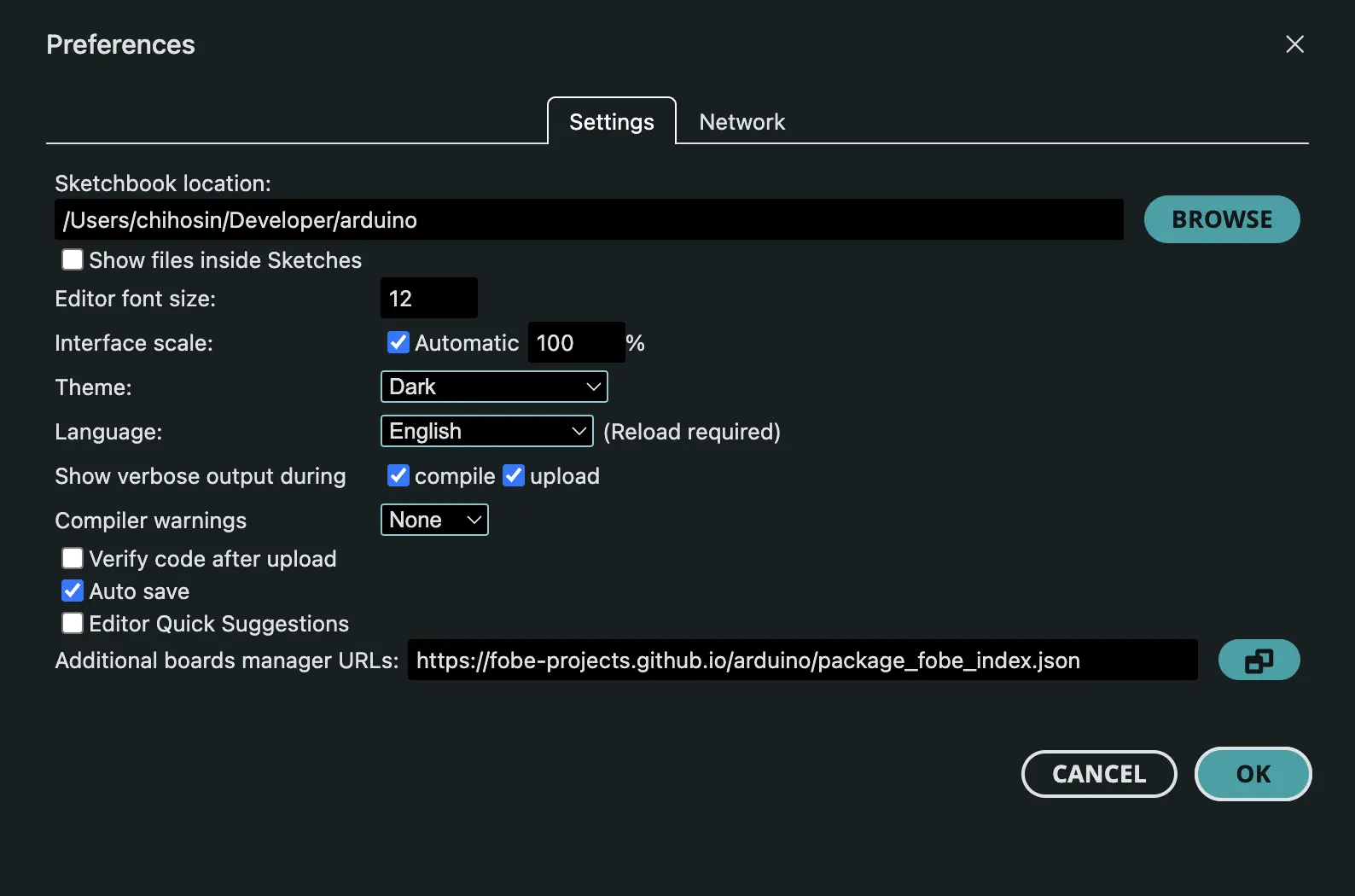
Step 2: Add to Arduino IDE
- Open Arduino IDE
- Go to File → Preferences
- In the "Additional Boards Manager URLs" field, paste the URL above
- If you already have other URLs, separate them with commas
- Click OK
Step 3: Install Board Package
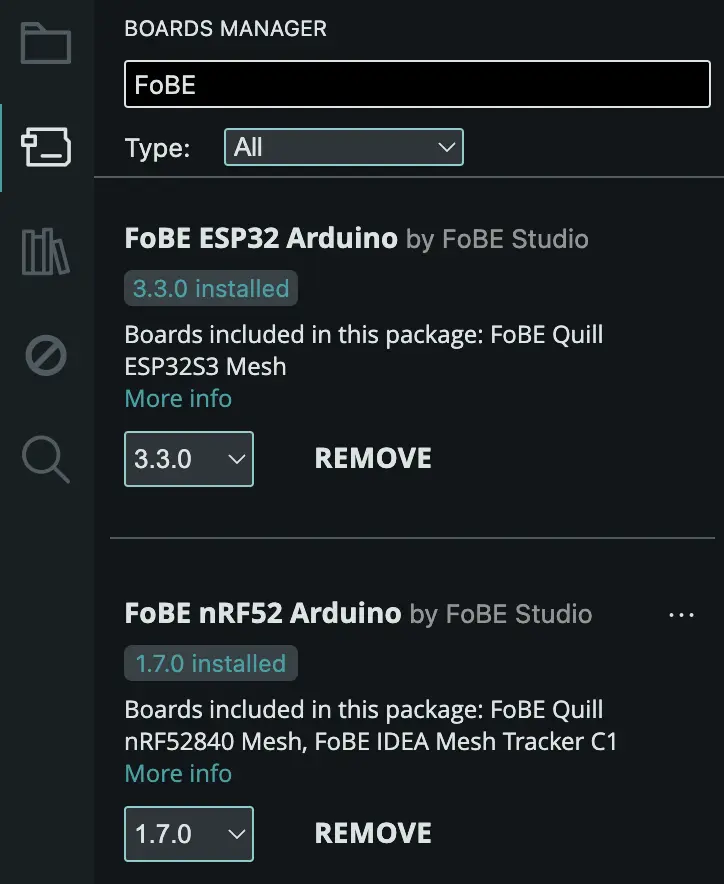
- Go to Tools → Board → Boards Manager
- Search for "FoBE" or the specific board you want
- Click Install on the desired board package
- Wait for the installation to complete
Requirements
- Arduino IDE version 1.6.4 or higher
- Internet connection for downloading board packages
Additional Resources
Official Arduino Documentation
Third-Party Board Resources
Contributing
If you have suggestions for improving this package index or want to report issues: